

At HP Cloud, we offer flexible storage plans to meet your needs, whether you’re just getting started or need extra space for growing files.
Affordable One-Time Payment Plan (OTP)
Our most cost-effective option is the One-Time Payment Cloud Plan, which provides long-term storage without recurring fees. Plans can be stacked, so you can expand your storage as your needs grow.
Monthly & Yearly Subscriptions
If you prefer recurring plans, you also have the option to subscribe monthly or yearly, giving you the flexibility to choose the plan that best fits your usage.
Easy Upgrades & Pricing
You can upgrade your storage by redeeming a voucher code or purchasing additional plans directly within your account. Pricing is displayed within your account — simply click the Upgrade button to view all available options.
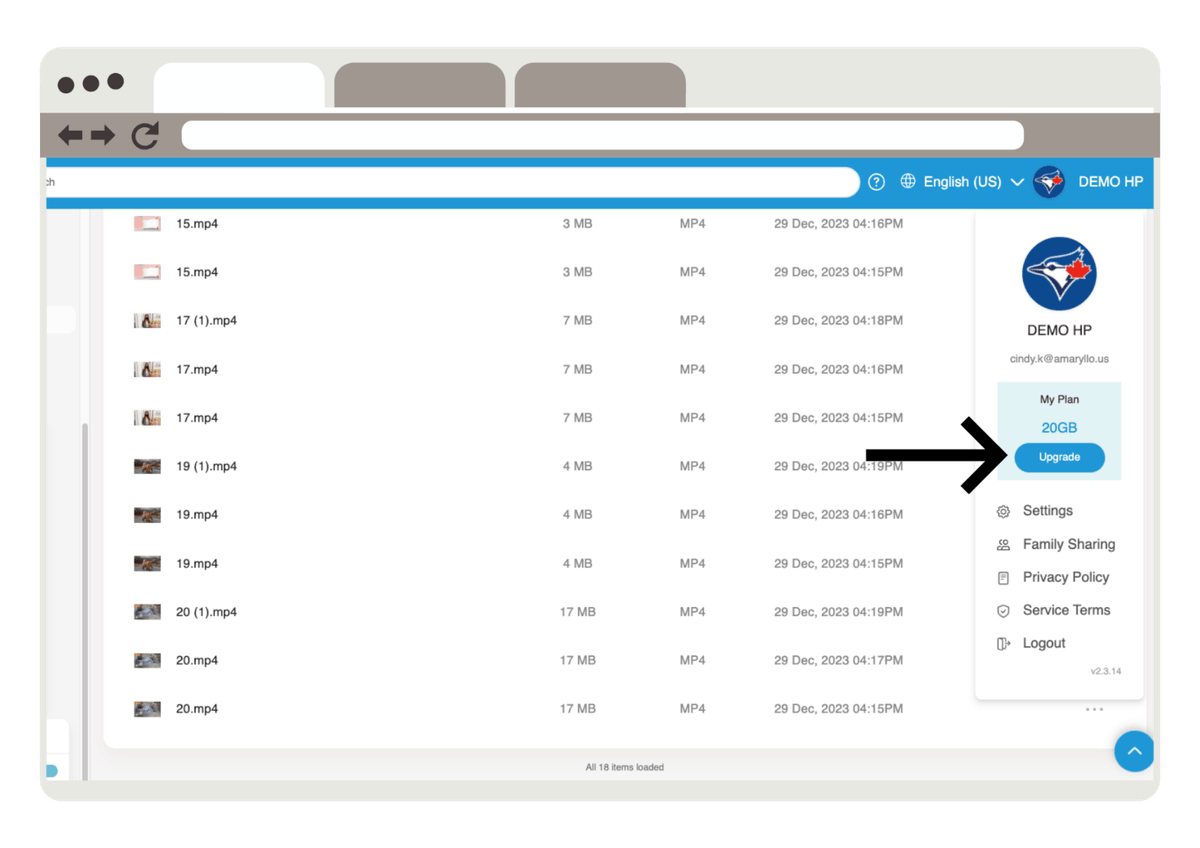
View & Upgrade Plans in Your Account
To upgrade your storage, go to your account and click Pick Your Plan. In the dropdown menu, you will see all available plans, including both One-Time Payment (OTP) and subscription options.
Plans available as One-Time Payment will have a “ * ” next to the capacity, making it easy to identify which plans can be purchased with a one-time payment.
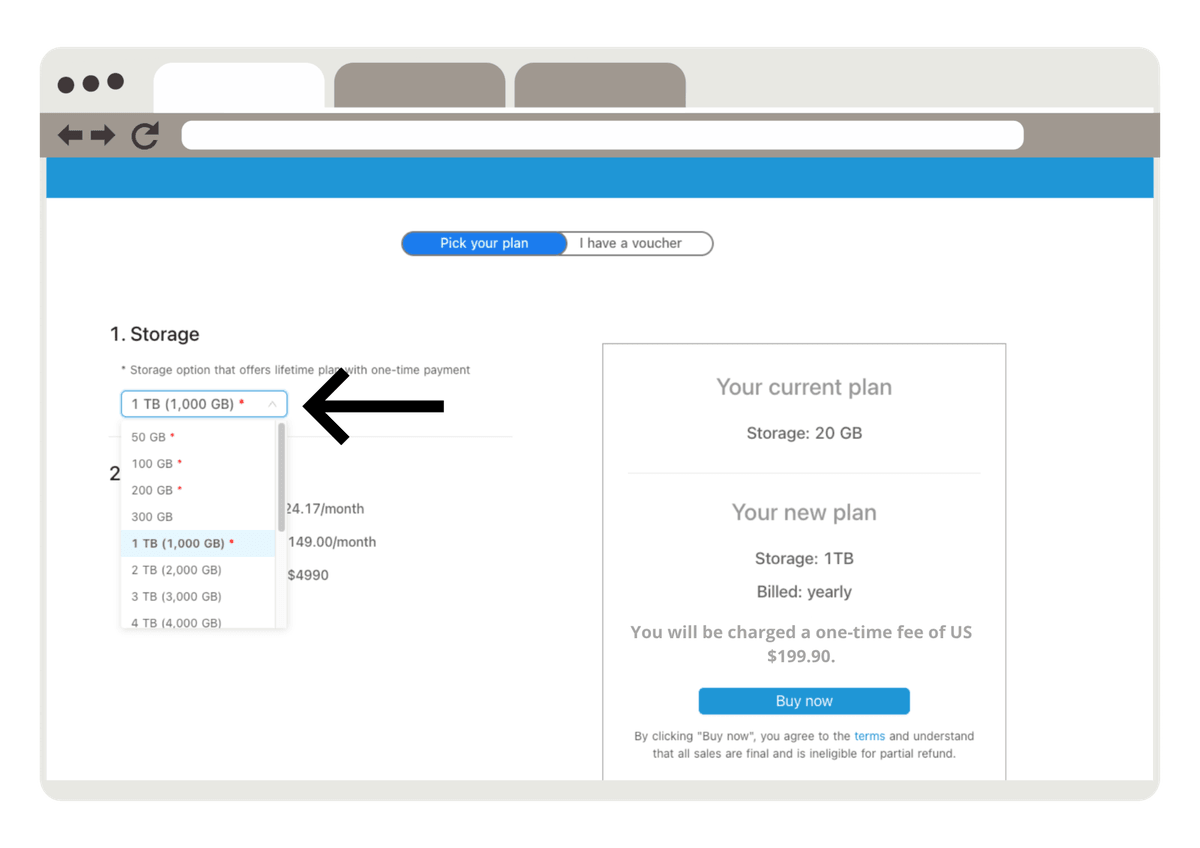
Payment Processing & Tips
Once your payment is successfully completed, your additional storage will reflect in your account immediately, so you can start using it right away.
If a transaction fails:
- Double-check your card details (number, expiration date, CVV) before trying again.
- Some credit card issuers may require verification or prior notice for online transactions — if this happens, contact your bank and try again.
Secure Payments
All purchases are processed securely through trusted payment providers (such as Stripe, depending on your country), allowing you to use major credit cards with confidence. Your payment information is never stored by HP Cloud, ensuring top-level security.
With myHPcloud, you’re always in control of your storage, with affordable, flexible, and secure options to meet your needs.